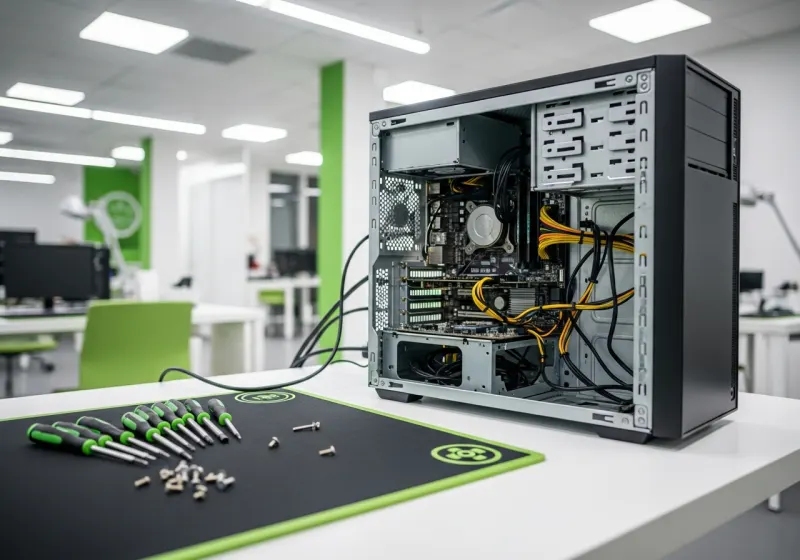
A slow desktop is not automatically worn out. Equally, an upgrade is not always good value. The useful question is which part of your everyday work is slow, what causes it, and whether the rest of the computer can still meet your needs.
Describe the delay
Slow startup, long application loading, sluggish browsing and poor gaming performance are different problems. Note whether the slowdown started suddenly or developed over time. A nearly full drive, a failing disk, background applications or heat may contribute; an internet problem can make web work feel slow even when the PC is functioning normally.
Back up important files before troubleshooting. If storage errors, unusual drive noises or disappearing files accompany the slowdown, prioritise the data rather than repeatedly running cleanup tools. Avoid software that promises to repair every fault automatically.
When an SSD or RAM upgrade can help
If an otherwise suitable computer still uses a mechanical system drive, a compatible SSD can improve startup and loading. Capacity, interface, mounting and migration must be considered. More RAM can help when several applications exhaust available memory; it will not fix a failing drive or an inadequate graphics card.
Ask for a fitted quote that includes the work you actually need. Confirm whether files are being migrated, what happens to the old drive and whether your applications need reinstallation or licences. Parts-only prices do not show the full job cost.
When replacement deserves consideration
Several expensive faults, unsupported hardware or a processor below your software’s needs can make replacement more practical. Windows 10’s standard support has ended, so official Windows 11 compatibility or another verified supported setup matters. Do not spend heavily on a machine whose software-support problem remains unresolved.
Compare the repair or upgrade quote with the full cost of a refurbished replacement: migration, adapters, included items and warranty all count. A replacement should address the reason your current PC no longer fits, not simply have a larger memory number.
Get a recommendation based on the machine
Send the model, known specification and examples of the delay to our Nottingham PC repair team. We can assess the cause and quote before chargeable work. If replacement is the better route, compare our refurbished desktop computers by exact specification and ask about current availability.
Quick answers
Is replacing a hard drive with an SSD always worthwhile?
It can improve loading, but the computer must still be reliable, compatible and suitable for the software and supported operating system you need.
Will I lose my files during an upgrade?
Discuss backup and migration before work starts. Do not assume every upgrade includes copying files or reinstalling applications.