AI-assisted TechRepairHub buying guide. Confirm model-specific features and purchase details with our team.
Choosing between mono and colour is easier when you start with the documents you actually print. TechRepairHub holds a large stock of HP laser printers. Ask which models are currently available rather than assuming every option in this guide is in stock.
When mono is worth considering
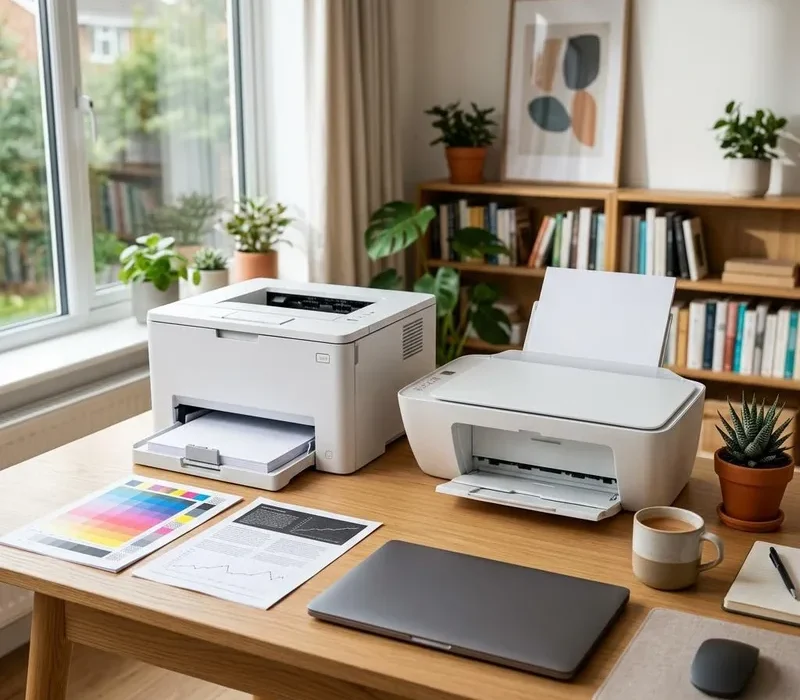
A mono laser printer prints in black and white. It can suit letters, invoices, reports, worksheets and other text-led documents where colour is not needed. Compare text quality, paper handling, cartridge prices and the space available on your desk. Do not assume a particular speed or cost just because a printer is mono; these vary by model.
When colour is useful
Colour can make charts, diagrams, training materials and presentations easier to interpret. Decide how often you need it and how much toner your usual documents may use. Compare the replacement cost of all required cartridges, not only black. A colour laser printer is not automatically a substitute for a photo printer: paper support and the result you want still matter.
Keep printing and scanning requirements separate
A print-only model does not scan or copy. If your work involves forms or invoices, check whether you need a flatbed scanner, an automatic document feeder or both. Automatic two-sided scanning is separate from automatic two-sided printing. Confirm these features individually on the exact unit before purchase.
Match the printer to your workload
Estimate normal monthly pages and occasional busy periods. A headline maximum duty cycle is not a recommendation to print that many pages every month; check the manufacturer’s recommended volume where available. Compare tray capacity, supported paper sizes and whether larger jobs would need frequent refilling.
For double-sided reports, confirm automatic duplex support. If several people will share the printer, read our USB, network and Wi-Fi guide. Network capability should be confirmed rather than inferred from the brand or appearance.
Make a shortlist, then confirm the individual unit
Use our used HP printer checklist to ask about test prints, condition, included toner and cables. Browse current printer stock or contact us with your budget and requirements.
Printers include 3 months parts and labour warranty as standard. An optional extension to 12 months costs extra; ask staff for an item-specific quote before purchase. Confirm delivery or Nottingham collection arrangements. Your statutory rights are unaffected.
Quick answers
Can a mono laser printer print colour?
No. A mono laser printer produces black-and-white output. Choose a colour-capable model if colour output is essential.
Do all colour laser printers scan and copy?
No. Colour printing and multifunction capability are separate features. Check the exact model for scanning, copying and document-feeder support.
Does a laser printer automatically print both sides?
Not necessarily. Confirm automatic duplex printing on the particular model. Manual double-sided printing is not the same feature.