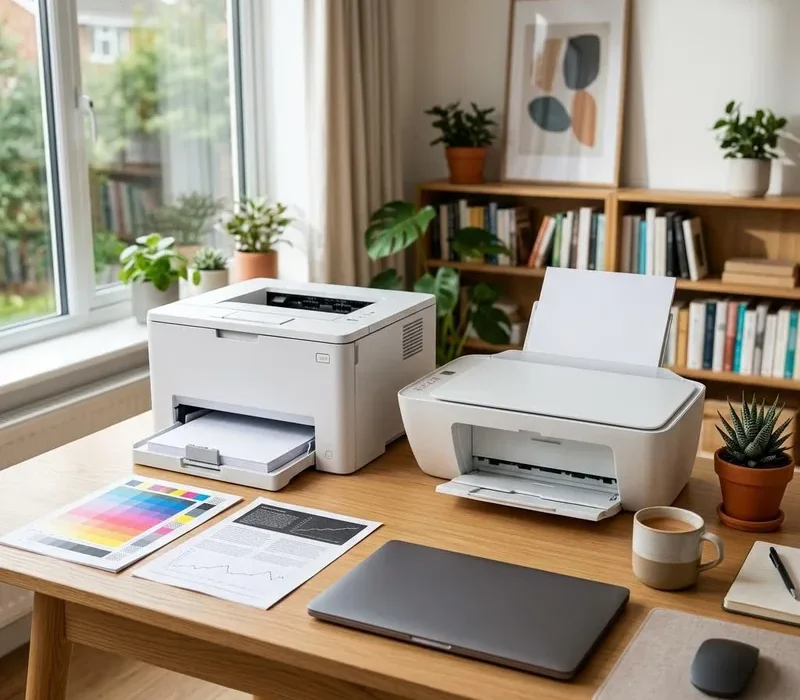
A cheap printer can become expensive if its replacement cartridges do not suit your workload. TechRepairHub sells printers alongside computers and monitors. Check the printer section or ask what is available before choosing a model; a guide is not a stock guarantee.
Think about what you actually print
Estimate your usual monthly pages and decide whether you need colour, photographs or mainly black-and-white documents. A mono laser printer may be worth comparing for regular text printing. An inkjet may suit some colour and photo tasks, but the right choice depends on the exact model and how often it will be used.
Check print speed, paper sizes and automatic double-sided printing if these matter to you. Occasional home use and a busy shared office have different needs; avoid choosing solely by the lowest purchase price.
Compare replacement ink or toner costs
Find the exact cartridge or toner reference and its current replacement price. Manufacturer page yields are measured under particular test conditions, not a guarantee of what your own documents will achieve. Maintenance parts such as drums or waste containers can add costs on some models.
Ask whether cartridges are included and whether their remaining levels are known. Do not treat a starter cartridge as a full-capacity replacement. Check any subscription, firmware or cartridge restrictions before deciding whether third-party supplies meet your needs.
Check scanning, copying and connectivity
If you need scans or copies, confirm that the model has those functions. An automatic document feeder can help with multi-page paperwork, but duplex scanning is a separate feature and should be checked explicitly. Decide whether a flatbed scanner is needed for books or delicate originals.
Confirm USB, Ethernet or Wi-Fi support on the exact printer and driver availability for your computer’s operating system. Wireless printing still needs a compatible network and setup. Tell us if you use a Mac, Windows laptop, Chromebook or phone so the appropriate printing route can be checked.
Ask about condition and included items
For a used printer, ask about a test print, any reported faults, included cables, consumables and warranty terms. Confirm availability and delivery or Nottingham collection arrangements. We do not promise particular running costs, cartridge levels or a warranty that has not been confirmed for the item.
Send a printer enquiry with your budget and usual printing volume. If you are updating the whole desk, our monitor buying guide helps check the display too. Your statutory rights are unaffected.
Quick answers
Is inkjet or laser better for home use?
It depends on printing frequency, colour or photo needs and running costs. Compare the exact models, replacement consumables and your usual workload.
Does a printer include ink or toner?
Do not assume cartridges are included or full. Ask what is supplied, its reported level and which replacement cartridges the model needs.